

GDSII Generator
Why you'd want it
A small standalone tool that turns foundry specification files into basic GDSII layout files for handoff.
- Who it's for: chip design teams and foundry partners working with CRI-ONE foundry delivery packages.
- The problem it solves: creates the die-outline and power-ring layout file a handoff needs, with nothing to install.
- What you get: a CD image with Python scripts and a PowerShell wrapper. It writes outline layers, not full layouts.
Asset valuation: $10,000,000,000. This is a standalone CD distribution of the failsafe GDSII generator that can be provided alongside the foundry delivery packages. It works independently with any foundry package. GDSIIGENERATORSTANDALONECD/
Think of the last step before a chip leaves your hands: the moment the design stops being words in a specification and becomes the one binary file a foundry will open. This tool writes that file. The GDSII Generator reads a foundry delivery specification, pulls the die dimensions out of it, and writes a GDSII version 6 file holding a single top-level cell with exactly two shapes inside: the die outline on layer one and the power ring on layer two, inset fifty microns from each edge, resolved to the nanometre. If the specification carries no usable size, it falls back to a one-millimetre square. Cadence Virtuoso, Synopsys IC Compiler, Siemens Calibre and anything else that reads GDSII will open it.
It ships as a standalone CD image with Windows autorun and works with any foundry delivery package, one or dozens across machines. Python standard library only; nothing to install. A PowerShell orchestrator wraps the three scripts into one command. It is called failsafe for a reason: progress is saved after every design, an interrupted run resumes where it stopped, an existing file that verifies is kept and one that fails is regenerated, and every file written is checked at once for its header and terminator.
This is for the engineering team with a foundry package that wants the handoff file produced the same way every time, on Windows, Linux or macOS. No patent covers it; the IP stays with CRI-ONE. The buyer walks away with a utility that turns a specification into a tape-out-ready layout and proves it did.
Valuation
Pre-production blueprint usage right, patent pending, non-exclusive. The analog this product is closest to in the market is integrated software stacks for consumer and enterprise compute — Microsoft Windows + Office, Apple ecosystem, Google Workspace.
Patent landscape
Software-stack IP is primarily held via copyright and trade secret; patents cluster around specific algorithmic innovations and system integrations. The WonderPhi stack's hardware co-design is a novel patentable angle.
Market opportunity
- Enterprise productivity suites: $55B (2026) → $90B (2032).
- Smartphone platform IP (per device): $2–$15 royalty streams × billions of units.
Comparable transactions
- Microsoft → GitHub (2018): $7.5B.
- Oracle → Sun (2010): $7.4B (full-stack).
- Qualcomm per-handset licensing: $10–$25 per device, billions annual.
Estimated valuation range
Realistic clearing band for a non-exclusive blueprint usage right: $1.5M (research / single-buyer evaluation) → $15M (strategic non-exclusive with manufacturing / deployment rights).
Listed catalog price: $982 — public anchor for direct enquiry; actual clearing price negotiated inside the range above with the buyer, scope (non-exclusive, territory, field-of-use), and milestone structure.
Description
The GDSII Generator is a self-contained, zero-dependency Python tool that reads foundry delivery specification files and produces binary GDSII Stream version 6 layout files ready for tape-out handoff to any foundry. It ships as a standalone CD image (with Windows autorun) that can be used with any FOUNDRY_DELIVERY_PACKAGE_* folder—whether the customer has one package or dozens spread across different machines. The generator creates a die-outline boundary on GDSII layer 1 and a power ring boundary on GDSII layer 2 for each design, using die dimensions extracted from the specification file. Generated layouts are compatible with all major EDA tool suites, including Cadence Virtuoso, Synopsys IC Compiler, and any tool that reads GDSII v6 binary streams.
The entire tool uses only the Python standard library—there is nothing to pip install . It requires Python 3.6 or higher and runs on Windows, Linux, and macOS. A top-level PowerShell orchestrator ( Make-GDSII.ps1 ) wraps the three Python scripts into a single command with environment checks, generation, and verification.
The binary writer in FAILSAFE_GDSII_GENERATOR.py emits these GDSII record types in sequence:
Each generated .gds file contains a single top-level cell named after the design. Inside the cell are exactly two BOUNDARY elements:
- Die outline (layer 1) — a closed rectangle defined by five XY points, centred at the origin: (−w/2, −h/2) → (w/2, −h/2) → (w/2, h/2) → (−w/2, h/2) → (−w/2, −h/2) , where w and h are die width and height in microns.
- Power ring (layer 2) — a closed rectangle inset 50 μm from the die outline on each side: dimensions are (w − 100) × (h − 100) μm, also centred at the origin.
Die-size extraction from specifications
The extract_die_size() function in FAILSAFE_GDSII_GENERATOR.py searches specification key-value pairs for any of the following field names (case-insensitive): area , die_area , die_size , chip_area , chip_size . It parses WxH notation (e.g. 2.5mm x 3.0mm or 500um x 800um ), converting millimetre values to microns by multiplying by 1000. If no parseable size is found, the generator defaults to 1000 × 1000 μm.
Foundry-package auto-detection
When the user does not provide a --package argument, both FAILSAFE_GDSII_GENERATOR.py and CHECK_SETUP.py run the find_foundry_package() function, which searches these locations in order:
- Current working directory
- User's Desktop ( ~/Desktop )
- User's Documents ( ~/Documents )
- D:\ drive
- C:\ drive
At each location, it checks one level of subdirectories (then two levels) for any folder whose name contains FOUNDRY_DELIVERY_PACKAGE (case-insensitive) and that contains a SPECIFICATIONS subfolder with at least one .txt file. PermissionError exceptions during the two-level scan are silently skipped.
Failsafe and recovery features
- Progress tracking — Every design's outcome (success or failure, timestamp, output path, error message) is written to generation_progress.json via save_progress() . The JSON file is updated after each individual design, not batched at the end.
- Resume from interruption — The --resume flag loads generation_progress.json and filters out designs whose status is "success" , processing only remaining/failed designs.
- Existing-file detection — Before generating, generate_gdsii_for_design() checks whether the output file already exists. If it does and passes verification, it is kept. If it exists but fails verification, it is deleted and regenerated.
- Post-generation verification — Every generated file is verified immediately after creation by calling verify_gdsii_file() , which checks: file existence, minimum size (100 bytes), correct HEADER record ( 0x0002 ) in the first 4 bytes, and correct ENDLIB record ( 0x0400 ) in the last 4 bytes.
- Comprehensive logging — All messages are written to gdsii_generation.log with ISO-8601 timestamps and severity levels (INFO, SUCCESS, WARNING, ERROR).
- Graceful interrupt handling — KeyboardInterrupt is caught in the top-level __main__ block and exits with code 130. Uncaught exceptions are caught, logged with full traceback, and exit with code 1.
Verification tool
VERIFY_GDSII.py is a standalone verification script (no imports beyond sys , struct , and pathlib ) that can check a single .gds file or scan an entire directory. For each file it validates:
- File existence and minimum size (100 bytes)
- First 4 bytes decode as a valid GDSII record with type 0x0002 (HEADER)
- Last 4 bytes decode as a valid GDSII record with type 0x0400 (ENDLIB)
Output uses Unicode check/cross marks and reports per-file validity plus a final tally of valid vs. invalid counts. Exit code is 0 when all files pass, 1 when any file fails.
- Cadence Virtuoso (Virtuoso Layout Suite, including streamIn import)
- Synopsys IC Compiler / IC Compiler II
- Mentor/Siemens Calibre (DRC/LVS verification flow)
- Any EDA tool that reads the GDSII Stream format (the format is an industry-standard binary interchange, defined by the original Calma company specification)
PowerShell orchestrator — Make-GDSII.ps1
The top-level entry point for power users. It wraps all three Python scripts into a single command and adds pre-flight checks that catch the most common failure modes before wasting a long run:
- Locate the generator — Resolves GDSII_GENERATOR_STANDALONE_CD\GDSII_GENERATOR\ relative to the script's own directory (also checks one level up for running from inside the CD folder).
- Check Python — Searches PATH for python , python3 , or py ; verifies version ≥ 3.6 by parsing --version output.
- Validate the package — Confirms the path exists, contains a SPECIFICATIONS folder, and that the folder has at least one .txt file. On failure, lists the first 10 subdirectories to help the user locate the real package.
- Run CHECK_SETUP.py — The generator's own environment check.
- Generate — Invokes FAILSAFE_GDSII_GENERATOR.py with the assembled arguments. Times the run and reports elapsed seconds.
- Verify — Runs VERIFY_GDSII.py against the output directory.
- Summary — Reports file count, total size in MB, output path, and a warning if the smallest file is under 1 KB (a suspiciously small file is likely a silent failure with only a header written).
Helper functions Write-Step , Write-Ok , Write-Warn2 , and Write-Bad provide colour-coded console output (Cyan/Green/Yellow/Red).
Windows batch launcher — RUN_GDSII_GENERATION.bat
An interactive menu-driven launcher for users who prefer not to use the command line. It presents six numbered options:
- Check setup and verify package
- Generate GDSII files for ALL designs
- Generate GDSII files for a SPECIFIC design
- Resume previous generation (skip already completed)
- Verify existing GDSII files
- Exit
Before showing the menu, it prompts for the foundry package path (or Enter to auto-detect). Uses setlocal enabledelayedexpansion for proper variable expansion inside if blocks.
Autorun CD configuration
AUTORUN.inf is a standard Windows autorun configuration. It sets the disc label to GDSII Generator - Standalone CD , declares no media files ( MusicFiles=0 , PictureFiles=0 , VideoFiles=0 ), and launches GDSII_GENERATOR\RUN_GDSII_GENERATION.bat on disc insertion.
log(message, level) function Dual-output logger: appends timestamped line to gdsii_generation.log and prints colour-coded line to console
find_foundry_package(start_path) function Auto-detection: searches five standard locations for FOUNDRY_DELIVERY_PACKAGE directories with valid SPECIFICATIONS
check_dependencies(specifications_dir) function Validates Python version ≥ 3.6, specification file count > 0, and write permissions
load_progress() function Reads generation_progress.json into a dict; returns empty dict on missing/corrupt file
save_progress(progress) function Writes progress dict to generation_progress.json with indent 2
read_spec_file(spec_path) function Parses a colon-delimited key-value specification .txt file into a dict; keys are lowercased and spaces replaced with underscores
extract_die_size(spec) function Extracts width × height from spec dict; recognises mm and um suffixes; defaults to 1000 × 1000
create_gdsii_file(output_path, design_name, die_width, die_height) function Core binary writer: emits a complete GDSII v6 stream with HEADER, BGNLIB, LIBNAME, UNITS, BGNSTR, STRNAME, two BOUNDARY elements (die outline on layer 1, power ring on layer 2), ENDSTR, ENDLIB
write_record(f, record_type, data) nested function Writes one GDSII record: 2-byte length, 2-byte record type, then payload (handles str , int , and raw bytes )
write_xy(f, points) nested function Packs a list of (x, y) integer tuples into big-endian signed-32-bit XY record data
verify_gdsii_file(file_path) function Inline verification: checks existence, size ≥ 100 bytes, HEADER record, ENDLIB record; returns (bool, message)
generate_gdsii_for_design(design_id, design_name, spec_path, output_dir, progress) function Full pipeline for one design: skip-if-valid, read spec, extract die size, create file, verify, update progress
find_all_designs(specifications_dir) function Scans SPECIFICATIONS/*.txt ; builds list of dicts with id (stem), name (from spec or fallback to stem), spec_path
main() function CLI entry point: parses args, locates package, checks deps, handles --verify-only / --resume / --design / --all , runs generation loop, prints summary
Module-level constants: VERSION = "2.0.0-STANDALONE" , SCRIPT_NAME = "FAILSAFE_GDSII_GENERATOR" , SCRIPT_DIR , CONFIG_FILE , LOG_FILE , PROGRESS_FILE .
Imports (all standard library): os , sys , json , struct , shutil , pathlib.Path , datetime.datetime , argparse , traceback .
find_foundry_package(start_path) function Same auto-detection algorithm as the main generator (duplicated for standalone operation)
check_item(name, condition, fix_hint) function Prints a single check line with Unicode check/cross mark and ANSI colour; returns the boolean condition
main() function Runs four check groups: Python version, write permissions, generator scripts presence, foundry package availability; prints next-steps guidance
Imports: sys , os , argparse , pathlib.Path .
verify_gdsii_file(file_path) function Binary-level GDSII validation: checks file size, HEADER record (first 4 bytes), ENDLIB record (last 4 bytes); returns (bool, message)
main() function CLI entry: accepts file or directory argument, runs verification, reports tallies, exits with appropriate code
Imports: sys , struct , pathlib.Path .
Make-GDSII.ps1 (238 lines)
Parameters: $Package (string), $Design (string), $Output (string), $Resume (switch), $CheckOnly (switch). Uses $ErrorActionPreference = 'Stop' .
generation_progress.json JSON progress tracker for resume capability (per-design status, timestamp, output path or error)
12 files across 3 directories. Total source: 1,956 lines. Estimated disc size: 50–100 KB.
File Path Lines Purpose
Make-GDSII.ps1 / (root) 238 Top-level PowerShell orchestrator: check, generate, verify in one command
gdsii-generator-product-image.svg / (root) 133 1000 × 1000 SVG product illustration showing the standalone CD, die layout with power ring and pad structures, specification sheet, and progress/resume panel
FAILSAFE_GDSII_GENERATOR.py GDSII_GENERATOR/ 577 Main generator: spec parsing, die-size extraction, binary GDSII writing, progress tracking, verification, logging, auto-detection, resume
STANDALONE_GUIDE.md GDSII_GENERATOR/ 214 Comprehensive user guide: requirements, quick start (autorun and manual), step-by-step instructions, command-line usage, troubleshooting, advanced options, output file descriptions
CHECK_SETUP.py GDSII_GENERATOR/ 185 Environment checker: validates Python version, write permissions, generator script presence, foundry package availability
RUN_GDSII_GENERATION.bat GDSII_GENERATOR/ 130 Windows batch launcher with interactive 6-option menu
VERIFY_GDSII.py GDSII_GENERATOR/ 91 Standalone GDSII file verification tool (single file or directory scan)
QUICK_REFERENCE.txt GDSII_GENERATOR/ 69 One-page quick-reference card: easiest method, command-line method, troubleshooting, output location
STANDALONE_CD_SUMMARY.md STANDALONE_CD/ (root) 193 Distribution summary: package contents, key features, usage scenarios, technical details, testing checklist, version info
DEPLOYMENT_CHECKLIST.txt STANDALONE_CD/ (root) 77 Pre-burn deployment checklist: file verification, autorun testing, package testing, documentation verification, CD burning steps, distribution, post-deployment
README.txt STANDALONE_CD/ (root) 38 Root-level quick-start: requirements, usage, command-line examples
AUTORUN.inf STANDALONE_CD/ (root) 11 Windows autorun configuration: disc label, no media declarations, auto-launch of batch file
67-gdsii-generator/ Make-GDSII.ps1 (238 lines) gdsii-generator-product-image.svg (133 lines) GDSII_GENERATOR_STANDALONE_CD/ AUTORUN.inf ( 11 lines) README.txt ( 38 lines) DEPLOYMENT_CHECKLIST.txt ( 77 lines) STANDALONE_CD_SUMMARY.md (193 lines) GDSII_GENERATOR/ FAILSAFE_GDSII_GENERATOR.py (577 lines) CHECK_SETUP.py (185 lines) VERIFY_GDSII.py ( 91 lines) RUN_GDSII_GENERATION.bat (130 lines) STANDALONE_GUIDE.md (214 lines) QUICK_REFERENCE.txt ( 69 lines)
How this is delivered
This package ships on a single Blu-ray disc, posted to the delivery address on your order. The archive on the disc is AES-256 encrypted; the passphrase is sent separately, by email, once the disc is despatched — so the disc alone is of no use to anyone who intercepts it.
Discs are despatched by tracked, signed-for post. Allow 5 business days for mastering and verification before despatch.
Footnotes
- Product number 8517.
- Family: fabrication writephi.
- Purchase: When you buy, you buy the use of that blueprint only.
-
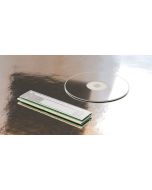 WritePhi 2
A memory-slot module that writes photonic circuits onto a disc.
-
 VerifyPhi
No chip design reaches the writer until every test passes.
-
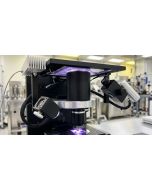 ICWritePhi Study — Printer Blueprint
A desk-sized printer that makes chip layers through an LCD stencil.
Special Price $156.25 Regular Price $625.00 -
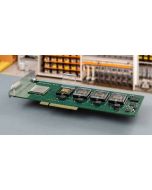 WritePhi Devices
One PCIe card: computing storage drive or accelerator, your choice.
-
 Mathematical Depositions
Ten original mathematical identities, dated and citable.
-
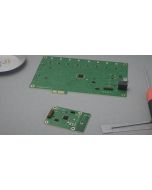 ExitPhi Accelerators
Wi-Fi chips designed to replace data-center network cables.