
SellPhi
Why you'd want it
Turn a rented Linux server into your own online store and blog with one install command.
- Who it's for: small sellers who want a store they own on their own server, not a rented hosted account.
- The problem it solves: avoids days of manual Magento setup; one guided installer configures store, blog, feed and admin.
- What you get: installer and configuration files with a single-site licence. Magento and WordPress download separately.
Asset valuation: $1,600,000,000. A complete Magento storefront + WordPress blog + site-wide RSS feed + admin console, packaged for one-command install on any Linux VPS. Ships empty — no products, no customers, no orders — and personalizes itself to your
Think of a shop with the lights on, the shelves built, the till wired, and the sign over the door still blank. That is what SellPhi hands you. It turns any bare Linux VPS into a running online store with a blog beside it, a site-wide RSS feed and a full admin console, from a single command. It ships empty: no products, no customers, no orders. The guided installer walks you through nine steps, saying what each one does and why, and waits for your yes before it runs anything. Say no and it stops cleanly and tells you how to resume. Along the way it writes your brand name into every template, browser tab, feed title and outgoing email.
Magento 2 CE and WordPress are not in the box; the installer fetches them from their official sources under their own licenses. SellPhi is the orchestration around them: six services in one compose file, two open ports, and twenty-four settings in a single .env file that survive upgrades. Supply your own Anthropic API key and the admin grows buttons for writing descriptions, drafting blog posts, replying to customers and translating. SellPhi never sees or stores that key beyond forwarding the request.
This is for the buyer who wants a store they own, not a hosted account they rent, and who will not spend a week configuring Magento. No patent is filed; the mark reads Base, No IP. You walk away with a single-site perpetual license to the layer, under copyright, and a store that is yours.
Valuation
Pre-production blueprint usage right, patent pending, non-exclusive. The analog this product is closest to in the market is commerce platforms — Shopify, Magento (now Adobe Commerce), BigCommerce, WooCommerce.
Patent landscape
E-commerce platform IP is primarily copyright + trade secret; patents cluster around specific checkout/payment innovations.
Market opportunity
- Global e-commerce platform market: $9B (2026) → $25B (2032).
Comparable transactions
- Adobe → Magento (2018): $1.68B.
- eBay → Magento (2011): $180M (earlier).
- Shopify IPO (2015): $1.3B valuation; now $100B+.
Estimated valuation range
Realistic clearing band for a non-exclusive blueprint usage right: $1M (research / single-buyer evaluation) → $8M (strategic non-exclusive with manufacturing / deployment rights).
Listed catalog price: $157 — public anchor for direct enquiry; actual clearing price negotiated inside the range above with the buyer, scope (non-exclusive, territory, field-of-use), and milestone structure.
Description
SellPhi — Turnkey Magento + WordPress Storefront (Project 64)
Inventor: Christopher Gabriel Brown.
IP status: No USPTO patent application filed. This product is protected by copyright and delivered under a single-site perpetual license. The SVG product mark designates it as “Base, No IP.”
SKU: 2095 | Version: 0.1.0 | License: Single-site perpetual, non-transferable, non-exclusive.
Overview
SellPhi is a complete deployment-and-configuration layer that turns any bare Linux VPS into a running online store with an integrated blog, a site-wide RSS feed, and a full admin console—all from a single command. It ships empty: no products, no customers, no orders. At install time the interactive guided installer personalises every template, browser tab, feed title, and outgoing email to the buyer’s own brand.
Magento 2 CE and WordPress are not included in this package. SellPhi is the orchestration, configuration, and tooling layer. The installer fetches Magento 2 CE from Adobe’s official source (licensed under OSL-3.0 / AFL-3.0) and WordPress from wordpress.org (GPL-licensed) at install time. The purchaser runs those packages under their own upstream licences. Nothing in this purchase conveys any right to Magento, WordPress, or any other third-party component.
Claude AI is baked in: once the buyer supplies their own Anthropic API key, the admin gains “Write description,” “Draft blog post,” “Reply to customer,” “Rewrite in [tone],” “Translate,” and “Category writer” buttons throughout. SellPhi never sees, stores, or proxies the buyer’s API key beyond forwarding requests to Anthropic.
Who This Is For
- You want a real online store you own, not a hosted account you rent.
- You have (or will rent) any Linux VPS.
- You want AI helping you write copy without giving up control.
- You don’t want to spend a week configuring Magento.
Operating system Any modern Linux — Ubuntu 22.04+, Debian 12+, CentOS, Rocky, or equivalent
Container runtime Docker + Docker Compose (the installer offers to install both if missing)
SellPhi orchestrates 6 services and 5 named Docker volumes via a single docker-compose.yml (100 lines). Every service restarts automatically ( unless-stopped policy). The stack exposes port 80 (HTTP) and port 443 (HTTPS) only.
Service Image Role
mariadb mariadb:11.4 Relational data layer. Creates the magento database and user on first boot. Seeds category skeleton from seed/magento/categories.sql .
magento sellphi/magento:0.1.0 Magento 2 CE storefront with PHP-FPM. Mounts CMS page seeds and theme overlays from seed/magento/cms-pages and seed/magento/theme .
wordpress wordpress:6-fpm Blog at /blog/ . Separate database ( wordpress ) with wp_ table prefix. Mounts theme seed from seed/wordpress/theme .
nginx nginx:1.27-alpine Edge reverse proxy. Routes / to Magento, /blog/ to WordPress, handles TLS termination (Let’s Encrypt or upstream).
sitefeed python:3.12-alpine Site-wide RSS feed builder. Polls Magento and WordPress, generates a unified feed.xml with a styled reader view. Runs via loop.sh .
claude-proxy sellphi/claude-proxy:0.1.0 Local AI endpoint (optional; activated by Docker Compose profile claude ). Injects the Anthropic API key server-side so the browser never sees it.
The installer ( install.sh , 233 lines of Bash) walks the operator through 9 steps with colour-coded terminal output. Every step prints what it does, why, and what command will run, then waits for a “yes” before proceeding. Any “no” stops cleanly and prints the exact --from-step command to resume. The script is fully idempotent—running it twice never breaks a working install.
Shell flags: set -euo pipefail .
Step Title What Happens
1 Docker check Detects Docker; offers to install via curl -fsSL https://get.docker.com | sh if absent.
2 Your domain Prompts for the public domain (no https:// , no trailing / ). Required.
3 Your brand Prompts for brand name; replaces “cri-one” throughout all shipped templates.
4 Admin login Prompts for Magento admin username (default: admin ) and password. Generates a 20-character random password via openssl rand -base64 18 if left blank.
5 Claude AI Optional. Prompts for Anthropic API key. Displays per-call cost estimates for each model tier.
6 TLS certificate Offers free Let’s Encrypt or defers to upstream proxy (Cloudflare/Caddy).
7 Write .env Commits all choices to .env . Backs up any existing .env to .env.bak first.
8 Boot the stack Runs docker compose up -d . First boot takes 3–5 minutes while Magento initialises its database.
9 Done Displays storefront URL, admin console URL, blog URL, RSS feed URL, and admin credentials.
Configuration Reference — 24 Environment Variables
All configuration lives in a single .env file (73 lines in the shipped .env.example ). The installer fills it in interactively; it can also be edited by hand. Values survive upgrades—the installer never overwrites customised entries.
DOMAIN Yes — Public domain, no protocol, no trailing slash.
BRAND_NAME Yes — Replaces “cri-one” in storefront, tabs, feed titles, email From lines, and all CMS templates.
BRAND_TAGLINE No — One-line tagline used in emails and site footer.
BRAND_CONTACT_EMAIL No — Public contact email address.
ADMIN_USERNAME Yes admin Magento admin username.
ADMIN_PASSWORD Yes (generated) 20-character random string if left blank.
DB_ROOT_PASSWORD Yes (generated) MariaDB root password.
DB_MAGENTO_PASSWORD Yes (generated) Password for the magento DB user.
DB_WORDPRESS_PASSWORD Yes (generated) Password for the wordpress DB user.
CLAUDE_API_KEY No — Enables AI buttons when set. Obtain from console.anthropic.com .
CLAUDE_MODEL_FAST No claude-haiku-4-5 Model for descriptions, tone rewrites, short replies, and translations.
CLAUDE_MODEL_DEEP No claude-sonnet-5 Model for blog drafts, category descriptions, and long-form content.
STRIPE_PUBLISHABLE_KEY Test key starts pk_test_ ; live key starts pk_live_ .
STRIPE_SECRET_KEY Never exposed to the browser; the container adds it server-side.
PAYPAL_CLIENT_ID From the PayPal Developer Dashboard.
PAYPAL_SECRET From the PayPal Developer Dashboard.
Leaving all four blank drops the store into invoice / manual checkout mode.
SMTP_HOST Any SMTP relay: Amazon SES, Postmark, SendGrid, Mailgun, or self-hosted.
SMTP_PORT Default 587 (STARTTLS). Use 465 for implicit TLS.
SMTP_USERNAME Provided by the relay.
SMTP_PASSWORD Provided by the relay.
SMTP_FROM_EMAIL The “From” address on order confirmations and password resets.
Skipping SMTP falls back to PHP mail() , which works but often lands in spam.
TLS_MODE letsencrypt | off Set off if TLS is handled upstream (Cloudflare, Caddy, or another nginx).
BACKUP_DIR /var/backups/sellphi Directory on the host where nightly backups are stored.
BACKUP_HOUR 3 24-hour server local time for the nightly backup run.
Claude AI Integration — 6 Admin Buttons
All AI features are opt-in. Without a CLAUDE_API_KEY in .env , every button still appears but displays “Add your Anthropic API key in Settings → Claude” when clicked. Setting the key activates the buttons immediately—no restart required. The claude-proxy service runs on the claude Docker Compose profile and can be stopped or started independently.
Button Location Model Tier Description
Write description Catalog → Products → any product edit page CLAUDE_MODEL_FAST Takes the product name and any tags/category context; produces a 3–5 sentence description in the brand voice. A “brand voice” note can be set in Settings → Claude and injected into every prompt.
Draft blog post WordPress editor CLAUDE_MODEL_DEEP From a title and 1–2 sentence outline, drafts a full post with headings, body, and closing paragraph.
Reply with Claude Sales → Communications → any customer email or contact form CLAUDE_MODEL_FAST Reads the incoming message and drafts a polite, on-brand reply. Nothing is sent—the draft opens in the compose window for review.
Rewrite in [tone] Any CMS block, product description, or page editor CLAUDE_MODEL_FAST Highlight text, click Rewrite, pick a tone (formal / casual / punchy / warm / technical). Returns up to 3 variants side by side.
Translate Any content editor with a language selector CLAUDE_MODEL_FAST Translates selected text to the target language. Preserves markup and links.
Category writer Catalog → Categories → any category page CLAUDE_MODEL_DEEP Writes a category intro paragraph for above the product grid, based on the category name and the first 5 products in it.
claude-haiku-4-5 Product descriptions, tone rewrites, short replies, translations ~$0.005 ~1 second
Models can be mixed: use Haiku for descriptions ( CLAUDE_MODEL_FAST ) and Opus for the blog ( CLAUDE_MODEL_DEEP ) by setting both variables in .env .
CMS Templates & Category Skeleton
SellPhi ships three CMS page templates and a pre-built category skeleton, all seeded into Magento at first boot:
CMS Templates
- Featured-items fan-out — a landing-page template that showcases selected products in a visual grid.
- Footnote with terms — a page template with a built-in terms-and-conditions footnote block.
- Share-to-a-friend — a page template with social sharing and referral functionality.
The sitefeed service (Python 3.12 on Alpine Linux) continuously polls both Magento and WordPress, generating a unified feed.xml available at https:// /feed.xml . The feed includes a styled reader view so anyone opening it in a browser sees a real page, not raw XML. Compatible with Feedly, NetNewsWire, Reeder, Thunderbird, and any other RSS reader.
Backup & Restore
- Nightly automated backups to a configurable directory (default: /var/backups/sellphi/ ).
- Configurable backup hour (default: 03:00 server local time).
- Manual backup: ./tools/backup/backup.sh
- Restore from backup: ./tools/backup/restore.sh /var/backups/sellphi/ .tar.gz
- Nuclear reset (full wipe and reinstall): docker compose down -v && rm .env && ./install.sh
Upgrade Path
SellPhi ships as versioned ZIPs following semantic versioning. Upgrading is a rebase, not a migration—data and settings stay put, only the code changes.
Version Bump Example Risk
Patch 0.1.0 → 0.1.1 Bug fixes only. Safe to install without reading notes.
Minor 0.1.0 → 0.2.0 New features, backwards compatible. Read the changelog.
Major 0.x.y → 1.0.0 Breaking changes possible. Back up first; plan a maintenance window.
The --upgrade flag on install.sh reads the existing .env , diffs against the new .env.example , asks about newly-added keys, pulls new container images, runs any needed database migrations, and restarts services. Rollback is supported by restoring the pre-upgrade backup.
The storefront subscribes to the SellPhi release feed automatically. An admin notification appears in the top bar when a new version is available, linking to a plain-English changelog. No forced updates; no phone-home beyond checking the release feed once a day.
docs/QUICKSTART.md 80 10-minute walkthrough from VPS to first live product. Covers install, first product creation with AI-generated description, and RSS feed setup.
docs/CONFIG.md 98 Complete reference for all 24 environment variables, grouped by function, with defaults and notes.
docs/CLAUDE-FEATURES.md 76 Every AI button in the admin: location, model tier, what it does, cost estimates, and how to enable/disable.
docs/TROUBLESHOOTING.md 130 Common issues with exact fixes: Docker not found, permission denied, stopped mid-install, 502 Bad Gateway, TLS warnings, Claude button errors, Stripe checkout issues, email delivery, backups, and nuclear reset.
docs/UPGRADING.md 59 Version philosophy (semver), step-by-step upgrade procedure, the --upgrade flow, rollback instructions, and release-feed notifications.
1 README.md 75 Project overview, what ships, what does not ship, requirements, and licence summary.
2 START-HERE.txt 24 Three-step plain-text quick-start: rent a VPS, copy the folder, run ./install.sh .
3 VERSION 1 Contains the version string: 0.1.0 .
4 LICENSE.txt 72 Single-site perpetual license. 8 clauses covering grant, permitted use, restrictions, third-party components, Anthropic/Claude AI, no warranty, termination, and governing law.
5 .env.example 73 Annotated template for all 24 environment variables. The installer fills this in interactively.
6 docker-compose.yml 100 Full service stack: 6 services (mariadb, magento, wordpress, nginx, sitefeed, claude-proxy), 5 volumes, 2 exposed ports.
7 install.sh 233 Interactive guided installer. 9 steps, colour-coded output, idempotent, resumable via --from-step .
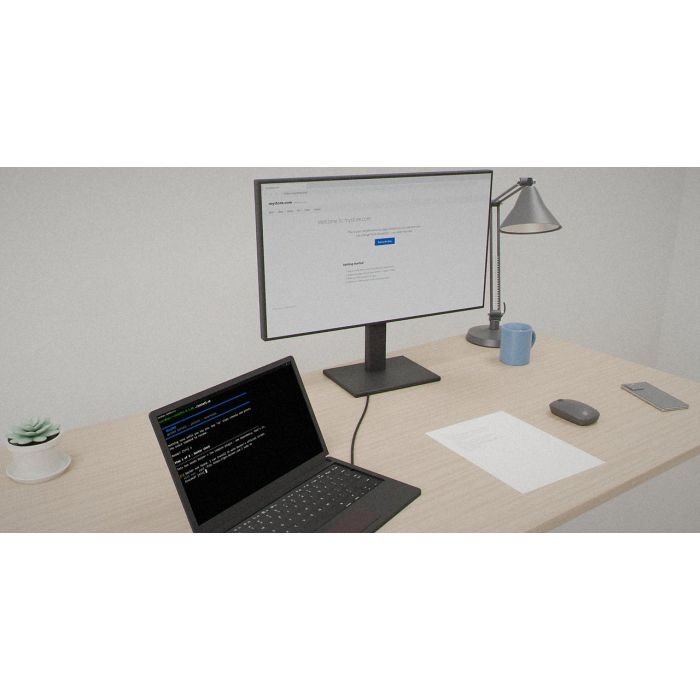
8 sellphi-product-image.svg 125 Vector product illustration (1000 × 1000 SVG) depicting a browser window with storefront grid, shopping cart, and VPS server rack.
9 SellPhi-0.1.0.zip — The primary deliverable archive containing the complete SellPhi package (12 entries).
10 SellPhi-0.1.0.zip.bak-readme — Archive directory listing / backup metadata for the ZIP.
11 docs/QUICKSTART.md 80 10-minute guided tour from zero to first live product.
12 docs/CONFIG.md 98 Complete environment-variable reference.
13 docs/CLAUDE-FEATURES.md 76 AI button reference with locations, model tiers, and cost estimates.
14 docs/TROUBLESHOOTING.md 130 Common issues and exact fixes.
15 docs/UPGRADING.md 59 Upgrade procedure, rollback, and release notifications.
Licence Terms Summary
- Type: Single-site perpetual, non-transferable, non-exclusive.
- Scope: One (1) production instance on one (1) domain and its subdomains. Unlimited staging/development environments serving no public traffic.
- Perpetual: The licence does not expire. The buyer may use the purchased version forever, on any hardware, with no phone-home requirement.
- Permitted: Install and run on one production VPS; modify configuration, styling, templates, and text content; sell products and keep 100% of revenue; extend with custom modules or scripts.
- Prohibited: Redistribute, resell, sublicense, or share; remove copyright notices; use as the basis of a hosted storefront-as-a-service; register or claim IP rights in the software or its templates.
- Third-party: Magento CE (OSL/AFL), WordPress (GPL), nginx, MariaDB, PHP, and others are each governed by their own upstream licences.
- Claude AI: The buyer provides their own Anthropic API key and is solely responsible for all API charges. SellPhi never sees, stores, or proxies the key.
- Governing law: United States, state of Licensor’s residence.
How this is delivered
This package ships on a single Blu-ray disc, posted to the delivery address on your order. The archive on the disc is AES-256 encrypted; the passphrase is sent separately, by email, once the disc is despatched — so the disc alone is of no use to anyone who intercepts it.
Discs are despatched by tracked, signed-for post. Allow 5 business days for mastering and verification before despatch.
© 2026 Christopher Gabriel Brown. All rights reserved.
Footnotes
- Product number 8514.
- Family: sellphi.
- Purchase: When you buy, you buy the use of that blueprint only.
-
 WonderPhi Library
Ready-made WonderPhi Compute plans for common tools.
-
 16 Digit American
105 government-related invention depositions from 2017.
-
 WonderPhi Compute
Run a command list across every processor core at once.
-
 Redaction Pen
A scam checker that strikes out the misleading parts.
-
-
 Semiconductor Material Discovery
2,000 semiconductor material combinations, ranked for testing.