
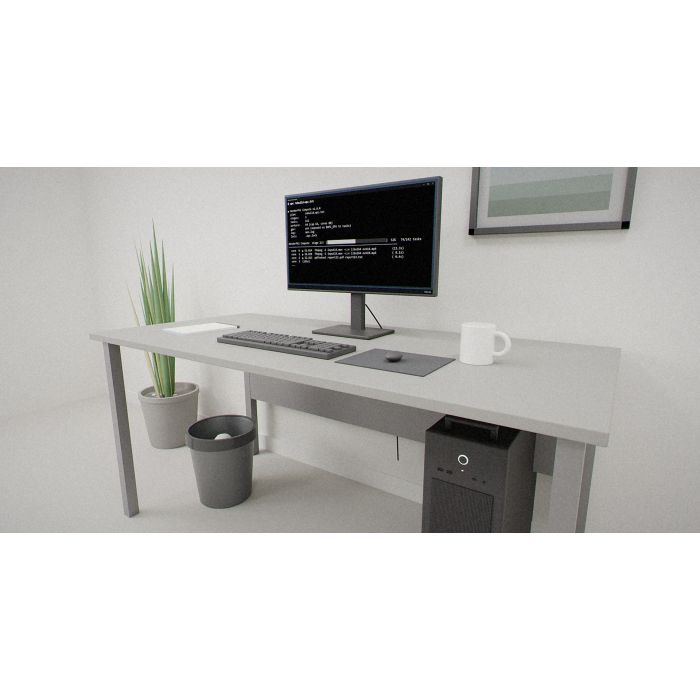
WonderPhi Compute
Why you'd want it
Run a list of commands across every processor core at once, from one plain-text plan file.
- Who it's for: people with large batch jobs on Windows, macOS or Linux who want to use every core.
- The problem it solves: slow one-at-a-time scripts; it runs each stage's steps in parallel and waits between stages.
- What you get: the runtime, watcher tools, source code and executables with a perpetual licence. No subscription, no telemetry.
Asset valuation: $6,000,000,000. Constitutional Parallel Runner — Put the compute back in the game. Modern operating systems hide your compute from you. Background processes, throttled schedulers, GPU cores that sit dark unless you know the incantation.
Think of your computer as a workshop with most of the benches under dust sheets. Modern operating systems hide your compute behind throttled schedulers, background processes and GPU cores that stay dark unless you know the incantation. WonderPhi Compute pulls the sheets off. It reads a plain-text plan, one shell command per line, with blank lines marking where everything above must finish before anything below begins, and runs each stage across every CPU core at once, waits at the line, then moves on. A serial script that would take two hours finishes in ten minutes.
Other parallel runners grew up over decades with a hundred options and no philosophy. This one is built the other way round: ten rules carved into every binary and checked at startup by a checksum, so a tampered copy refuses to run. Every task line must parse cleanly. The log only appends, so a crash never erases history. Commands go to the shell exactly as written, with no silent retry. Exit codes and elapsed times are reported as they are, with no fabricated success. Standard library only, no network, no telemetry. Every version that will ever exist is v1.0.0; that is the constitutional guarantee.
It runs on Windows, macOS and Linux, the frozen executable needs no Python on the machine, and it is for anyone with work to run and idle cores. Patent pending, copyright registration filed; the IP stays with the inventor. The buyer walks away with a runner born once, no subscription, that puts the compute back in the game.
Valuation
Pre-production blueprint usage right, patent pending, non-exclusive. The analog this product is closest to in the market is integrated software stacks for consumer and enterprise compute — Microsoft Windows + Office, Apple ecosystem, Google Workspace.
Patent landscape
Software-stack IP is primarily held via copyright and trade secret; patents cluster around specific algorithmic innovations and system integrations. The WonderPhi stack's hardware co-design is a novel patentable angle.
Market opportunity
- Enterprise productivity suites: $55B (2026) → $90B (2032).
- Smartphone platform IP (per device): $2–$15 royalty streams × billions of units.
Comparable transactions
- Microsoft → GitHub (2018): $7.5B.
- Oracle → Sun (2010): $7.4B (full-stack).
- Qualcomm per-handset licensing: $10–$25 per device, billions annual.
Estimated valuation range
Realistic clearing band for a non-exclusive blueprint usage right: $1.5M (research / single-buyer evaluation) → $15M (strategic non-exclusive with manufacturing / deployment rights).
Listed catalog price: $98 — public anchor for direct enquiry; actual clearing price negotiated inside the range above with the buyer, scope (non-exclusive, territory, field-of-use), and milestone structure.
Description
Status: Patent pending. Copyright © 2026 Christopher Gabriel Brown. All rights reserved. Protected under U.S. copyright law (17 U.S.C. § 102(a)(1)) and applicable international treaties. U.S. Copyright Office registration filed for the WonderPhi Software Collection v1.0.0. USPTO patent portfolio — see PATENT_PORTFOLIO.md for full filing details. All rights to seek additional patent protection are expressly reserved by the inventor.
Overview
WonderPhi Compute is a permanent, self-contained parallel runner that reads a plain-text plan file of shell commands and executes them across every CPU core simultaneously. Modern operating systems hide your compute behind throttled schedulers, background processes, and GPU cores that sit dark unless you know the incantation. WonderPhi Compute is the antidote: feed it a .plan.wpc.txt file — one shell command per line, blank lines separating parallelisation barriers — and it dispatches each stage across every available core, waits at the barrier, then moves to the next stage. A serial script that would run for two hours finishes in ten minutes.
Every other parallel runner (GNU parallel, make -j , xargs -P ) is a Unix tool grown organically over decades, with a hundred configuration options and no philosophy. WonderPhi Compute is designed the opposite way: 10 immutable constitutional rules , hardcoded into every binary, verified at startup via XOR checksum, and carved in stone. Every version of WPC that will ever exist is v1.0.0 — that is the constitutional guarantee.
Born once. Never updated. No subscription. No telemetry. No dependencies. No network. Runs on Windows, macOS, and Linux.
The 10 Commandments — The Constitution
The constitutional framework is defined in commandments.py (169 lines). Each commandment is assigned a hexadecimal constant. The XOR checksum of all ten constants equals 0x0B ; any binary reporting a different checksum has been tampered with and refuses to run. Two ASCII signatures anchor the runtime identity: WPC_SIGNATURE = 0x57504321 (“WPC!”) and WPC_MASTER_KEY = 0x50484921 (“PHI!”).
# Commandment Constant Guarantee Enforced Constants
I Sole Master 0x00000001 WPC is the sole orchestrator of the plan file. No competing orchestrator can override WPC mid-run. WPC_SIGNATURE = 0x57504321; WPC_MASTER_KEY = 0x50484921
II No Other Gods 0x00000002 Exactly one WPC instance per working directory. Enforced via OS-level range lock on .wpc.lock . WPC_EXCLUSIVE_LOCK = 0xDEADC0DE; WPC_MAX_INSTANCES_PER_DIR = 1; WPC_LOCK_FILENAME = “.wpc.lock”
III Not in Vain 0x00000003 Every task line in the plan must parse cleanly. Malformed input is rejected, not silently mangled. WPC_TASK_MIN_LEN = 1; WPC_TASK_MAX_LEN = 8,192 bytes; WPC_MAX_TASKS_PER_PLAN = 65,536
IV Sabbath 0x00000004 Idle workers sleep. WPC never busy-waits and never spins. WPC_IDLE_POLL_MS = 100; WPC_WORKER_IDLE_MS = 10
V Honour Thy Parents 0x00000005 The plan.wpc.txt v1 format is frozen forever. Every future runtime shall accept it. WPC_PLAN_FORMAT_VERSION = 1; WPC_PLAN_MAGIC_HEADER = “# WPC v1”
VI Not Kill 0x00000006 Log appends only. A crash never destroys prior history. WPC_LOG_ATOMIC_APPEND = True; WPC_LOG_FILENAME = “wpc.log”
VII Not Adultery 0x00000007 Commands dispatch verbatim via the platform shell. No silent retry. No command mutation. WPC_SHELL_MODE = True; WPC_AUTO_RETRY = False
VIII Not Steal 0x00000008 Hardcoded resource caps. WPC shall never consume more than allocated. WPC_MAX_CONCURRENT_TASKS = 64; WPC_MAX_MEMORY_MB_PER_TASK = 4,096 MB; WPC_MAX_TASK_RUNTIME_SEC = 86,400 (24 h); WPC_MAX_LOG_SIZE_MB = 512
IX Not False Witness 0x00000009 Exit codes and elapsed times reported truthfully. No suppression of stderr. No fabricated “success.” WPC_STATUS_OK = 0x00; WPC_STATUS_FAILED = 0x01; WPC_STATUS_TIMEOUT = 0x02; WPC_STATUS_KILLED = 0x03; WPC_STATUS_SKIPPED = 0x04
X Not Covet 0x0000000A Zero external Python packages. Standard library only. No network. No telemetry. WPC_ALLOWED_EXTERNAL_DEPS = 0; WPC_ALLOWED_NETWORK_CALLS = 0; WPC_ALLOWED_TELEMETRY_ENDPOINTS = 0
Constitutional enforcement checksum: XOR of commandment constants I–X = 0x0B (precomputed). Verified by assertion at import time in every binary.
The Plan File Format ( plan.wpc.txt v1)
Stage barriers Blank lines separate stages — every task above must complete before any task below starts
Task lines Each non-blank, non-comment line is one shell command, executed exactly as written by the platform shell
The core runtime is implemented in wpc.py (559 lines, Python 3.8+, stdlib only). The frozen executable wpc.exe (8.93 MB) requires no Python installation on the target machine — built via PyInstaller --onefile .
Locking mechanism OS-level range lock — msvcrt.locking() on Windows, fcntl.flock() on Unix. Race-free and crash-safe: the kernel drops the lock the moment the process dies.
GPU detection nvidia-smi -L with 5-second timeout. Exposes $WPC_GPU=1 (or 0 ) to every task’s environment. WPC does not offload work to the GPU — individual task commands decide.
Task execution subprocess.run() with shell=True , per-task timeout of 86,400 seconds (24 h)
Log format Append-only: timestamp | stage.task | status | exit_code | elapsed | output_bytes | cmd
Log rotation Automatic rotation when log exceeds 512 MB
Dashboard Live TTY dashboard showing per-core task status, progress bar, elapsed time (ANSI escape codes, no external library)
Windows console ANSI support enabled via ctypes.windll.kernel32.SetConsoleMode()
UTF-8 output Forced via sys.stdout.reconfigure(encoding="utf-8") for honest Unicode glyph rendering
Task Dataclass ( __slots__ -optimised) holding stage, index, command, status, exit code, elapsed time, timestamps, and output byte count
parse_plan(path) Reads and validates a .plan.wpc.txt file; returns a list of stages, each a list of Task objects
PlanError Custom exception for Commandment III violations
acquire_lock(cwd) Commandment II enforcement; acquires OS range lock, stamps PID into lock file
run_task(task, env, log_path) Dispatches a single task verbatim via platform shell; captures status, exit code, and timing
_log_append(log_path, task) Atomic append of one structured line per completed task; handles log rotation
Dashboard Live terminal rendering with per-core slot display, progress bar, and ANSI styling (no external dependencies)
run_plan(plan_path) Main orchestration loop: acquires lock, detects GPU, dispatches stages via ThreadPoolExecutor , renders dashboard, reports truthful summary
The Three Watchers — Always-On Mode
WonderPhi Compute ships with three cooperating watchers that turn it into a drop-a-file-and-it-runs service. Each is a thin wrapper around wpc.exe — none of them modify wpc.exe . The 10 Commandments and the v1.0.0 constitutional guarantee remain completely intact.
Watcher 1: Inbox Watcher ( wpc-watcher.py / wpc-watcher.exe )
GPU bridge Injects live GPU environment variables into every task’s environment via nvidia-smi query
Output Auto-generates .plan.wpc.txt and drops it into wpc-inbox\ ; source files moved to wpc-auto-processed\
.jpg , .jpeg , .png identify-images Identify dimensions and pixel format via System.Drawing (PowerShell, no ImageMagick dependency)
Function Samples the process list once per minute; emits hypothesis files when the same tool is launched ≥5 times in a 10-minute window
Process sampling Get-CimInstance Win32_Process via PowerShell with 20-second timeout; returns Name, ProcessId, and CommandLine
SeDebugPrivilege Best-effort escalation via ctypes.AdjustTokenPrivileges with 64-bit HANDLE-safe signatures for cross-session CommandLine visibility
Auto-batch mapping When ≥2 observed command lines look batchable (contain file paths or -i / -o flags), emits an executable plan mirroring the observed serial calls verbatim
Guarantee Observes and suggests — never executes. The user must manually drag the .plan.wpc.txt into wpc-inbox\ to run it.
Recipe Map (10 Recognised Executables)
The observer ignores the following processes to avoid false hypotheses: svchost.exe , conhost.exe , cmd.exe , wsl.exe , explorer.exe , backgroundtaskhost.exe , runtimebroker.exe , smartscreen.exe , sihost.exe , startmenuexperiencehost.exe , ctfmon.exe , python.exe , pythonw.exe , wpc.exe , wpc-watcher.exe , wpc-autoplan.exe , wpc-observer.exe , wermgr.exe , wmiadap.exe , wmiprvse.exe .
DANGER Zone — Autonomous Observer ( wpc-observer-danger.py / wpc-observer-danger.exe )
The DANGER observer is the autonomous variant that skips the manual review step. When the complete 7-layer safety envelope is satisfied, it drops plans straight into wpc-inbox\ where the always-on watcher picks them up and runs them without user confirmation.
Singleton Shares lock name wpc-observer with the safe observer — mutually exclusive, exactly one runs at a time
SeDebugPrivilege Full 64-bit HANDLE-safe ctypes implementation; requires RunLevel=Highest for cross-session visibility
Every one of these conditions must hold before a single command auto-executes. Failure of any layer causes a graceful fallback to suggest-only mode (hypothesis written to wpc-hypotheses\ ).
Layer Condition Detail
1 Environment variable WPC_DANGER_AUTONOMOUS=1 must be present. Delete it to silently revert to suggest-only.
2 Kill-switch file File %USERPROFILE%\bin\wpc-danger-STOP must not exist. Create it to disarm instantly.
3 Whitelist Only idempotent-safe executables are eligible for auto-execution (see table below). Everything else falls through to suggestion mode.
4 Loop prevention Commands whose first token is any WPC binary ( wpc.exe , wpc-watcher.exe , wpc-autoplan.exe , wpc-observer.exe , wpc-observer-danger.exe ) never auto-execute.
5 Ledger dedup Every auto-executed command is hashed (SHA-256, first 16 hex chars) to .wpc-danger-ledger . Identical commands never auto-execute a second time.
6 Cooldown No more than one auto-exec per executable per 30 minutes.
7 Batch cap No auto-plan may contain more than 32 tasks.
Idempotent-Safe Whitelist (9 Executables)
Ctrl+Alt+K wpc-panic.ps1 (40 lines) — “WonderPhi DISARM” Soft disarm: creates wpc-danger-STOP file. Auto-exec suppressed within ~60 seconds. Existing plans keep running. Beep + system-tray balloon feedback. Non-blocking.
Ctrl+Alt+Shift+K wpc-kill.ps1 (51 lines) — “WonderPhi STOP” Full stop: disarms DANGER, stops every WonderPhi scheduled task, kills every wpc-* process. In-progress plans will be interrupted. Descending three-tone alarm + system-tray balloon.
Conflict resolution If another instance holds the lock, the newcomer exits cleanly with code 0 — Commandment II honoured by refusal, not by fighting
PID file Writes PID to .pid alongside the lock file for operator identification
Fireproofing Stops existing tasks, kills live watchers (frozen-exe and python.exe forms), clears stale .lock / .pid files. Safe to re-run at any time.
Rename-if-locked pattern When a file is locked by an S4U process, the installer renames it to .stale- and copies the new file in its place. Next reboot cleans up stale copies.
LogonType detection Elevated shell → S4U (survives logoff/lock); Non-elevated → Interactive (dies with session)
Scheduled task settings AllowStartIfOnBatteries, DontStopIfGoingOnBatteries, StartWhenAvailable, RestartInterval=5 min, RestartCount=3
Post-install verification Waits up to 15 seconds for all tasks to reach Running state; reports state and lastResult for each
WonderPhi Compute Watcher wpc-watcher.exe Polls wpc-inbox\ every 15 seconds; injects GPU env vars; runs wpc.exe on each plan
WonderPhi Autoplan Watcher wpc-autoplan.exe Polls wpc-auto\ for bulk drops (≥5 same-type files); auto-generates matching plans
WonderPhi Observer wpc-observer.exe Samples the process list; emits parallel-execution hypotheses to wpc-hypotheses\
Interactive confirmation Requires typing “YES” (bypass with -Yes flag for scripted installs)
Non-elevated warning Warns that SeDebugPrivilege is unavailable without elevation and may miss cross-session command lines
Arming Sets user environment variable WPC_DANGER_AUTONOMOUS=1 via [Environment]::SetEnvironmentVariable()
HKCU\Run preemption Registers HKCU\Software\Microsoft\Windows\CurrentVersion\Run\WonderPhi-Autonomous-Compute so DANGER wins the singleton race at logon (fires before Task Scheduler’s AtLogon triggers)
uninstall.ps1 23 Removes all three standard scheduled tasks. Leaves wpc.exe and files in place.
uninstall-danger.ps1 41 Stops and unregisters the DANGER task, clears WPC_DANGER_AUTONOMOUS env var, removes kill-switch file, reinstates the safe observer.
Build System ( Makefile — 83 lines)
make build-watchers Freeze all three watchers into dist/ with --hidden-import wpc_singleton
All benchmarks measured 2026-07-19 on the reference workstation. Every number is wall-clock time from a fresh cold-cache warmup, single-run (no averaging).
GPU NVIDIA A10M — 19 GB VRAM, driver 596.36 (Ampere, 7th-gen NVENC — H.264 + HEVC only, no AV1 HW)
SHA-256 × 40 (500 MB file) 96.61 s 6.84 s (WPC, 64 workers) 14.1× Memory-bandwidth-limited; DDR4 bottleneck, not WPC. Distinct per-task files hit 40–50×.
1080p H.264 × 3 (3-min source, 5,400 frames) 51.38 s (libx264 medium, crf 23, 315 fps) 48.07 s (A10M h264_nvenc p4, cq 23, 337 fps) 1.1× Dual Xeon at 40 cores is competitive; GPU advantage when CPU is busy with other work.
4K HEVC × 2 (30-s source, 3840×2160, 900 frames) 36.27 s (libx265 fast, crf 28, 50 fps) 24.36 s (A10M hevc_nvenc p4, cq 28, 74 fps) 1.5× NVENC silicon pipeline beats software at 4K+; gap widens at 8K (estimated 3–5×).
AV1 encoder choice (30-s 1080p30, 900 frames) 219.87 s (libaom-av1 -cpu-used 8, 4.1 fps) 12.33 s (libsvtav1 -preset 8, 73.0 fps) 17.8× Encoder choice matters more than parallelism. A10M has no AV1 HW (Ampere).
AV1 batch × 6 (WPC parallel) 73.98 s (serial libsvtav1) 24.21 s (WPC 6× parallel, 223 fps aggregate) 3.1× Diminishing returns because libsvtav1 is already multi-threaded internally.
1080p AV1 encoding libsvtav1 on CPU (A10M has no AV1 HW; SVT-AV1 is 18× faster than libaom)
Real-time streaming / live A10M NVENC (consistent fps regardless of CPU load)
A ready-to-run demonstration plan with 3 stages and 10 tasks. Stage 1 runs 5 parallel echo+ping commands; Stage 2 waits at the barrier and runs one aggregating step; Stage 3 runs 4 final parallel echo commands.
healthcheck.plan.wpc.txt (545 lines)
A production-grade domain health-check plan covering 541 unique domains. Each task issues a single HEAD request via curl -sfI -m 5 -o NUL with a 5-second timeout. All 541 tasks run in a single parallel stage across every available core. The shipped wpc.log (541 entries) is the actual run output from this plan on the reference hardware, demonstrating real-world execution with honest exit-code reporting (Commandment IX).
Expiration None. No annual renewal. No seat count. No activation. No telemetry.
Permitted Install on any machine you own; make backup copies; read/study/modify source for personal use; process any lawful workload
Prohibited Redistribution in any form; running as SaaS/hosted service (requires Industrial license); removing attribution; reverse-engineering for competing products
Scope Unlimited machines, VMs, containers, and cloud instances operated by the organisation
Seat count None. No machine limit. No annual renewal. No activation. No telemetry.
Employees Employees, contractors, and consultants may operate the software under the organisation’s direction; access ends when engagement ends
Prohibited Redistribution; repackaging as a product/service for third parties (requires OEM license); removing attribution; transfer without written consent
The package includes seven pre-built industrial-licensed zip archives for different deployment targets:
Visual metaphor Dark navy barrel/pill body with white grid overlay (8×5 grid representing CPU cores); orange master/orchestrator block; coloured task blocks (coral, cyan, green, purple, gold) connected by dispatch lines from the central master
Grid dimensions 8 columns × 5 rows (40 cells, evoking multi-core execution)
Colour palette Navy dark (#1A2952), Navy mid (#263A75), Orange (#F59E28), Coral (#E85A64), Cyan (#38BEC8), Green (#4CB478), Purple (#9664DC), Gold (#F0C83C)
Copyright Registration
A formal U.S. Copyright Office registration was prepared and filed for the WonderPhi Software Collection v1.0.0. The package includes both the registration document ( COPYRIGHT_REGISTRATION_WONDERPHI.html ) and the submission record ( COPYRIGHT_SUBMISSION_WONDERPHI.html ), plus a PDF copy of the filing confirmation.
WonderPhi Compute (this product) $99.00 The constitutional parallel runner — runtime, three watchers, source code, frozen executables
WonderPhi Library $9.00 25 GPU-aware recipes that auto-generate plan files for common workloads
WonderPhi Autonomous Compute $29.00 The DANGER observer variant for autonomous auto-execution of detected serial patterns
Ecosystem total: $137.00 — all three products for a permanent, one-time purchase with no subscription and no renewal.
wpc.py 559 Core runtime — plan parsing, OS-range lock, GPU detection, ThreadPoolExecutor dispatch, live dashboard, truthful reporting
commandments.py 169 The 10 Commandments — frozen constants, hex signatures, XOR checksum enforcement, human-readable table
wpc-autoplan.py 184 Bulk-drop auto-planner — 5 recognised patterns, file-type-specific plan generation
wpc-observer.py 358 Safe hypothesis observer — process sampling, recipe mapping, auto-batch hypothesis emission, SeDebugPrivilege
wpc-observer-danger.py 491 Autonomous DANGER observer — 7-layer safety envelope, whitelist enforcement, ledger dedup, cooldown
install.ps1 245 Fireproofed always-on installer (rename-if-locked, S4U/Interactive auto-detect)
Copyright Registration — WonderPhi Software Collection v1.0.0.pdf Filing confirmation (PDF)
Industrial license packs industrial-zips/wonderphi-phone-industrial-v1.0.0.zip Phone deployment
Build artefacts build/ directory PyInstaller spec files, analysis TOCs, PYZ archives, and package files for all five executables
- S4U vs Interactive logon: S4U scheduled tasks survive logoff/lock/session-end but require elevated PowerShell to register. Interactive tasks work without elevation but die with the session. The installer auto-detects elevation and picks the appropriate type.
- PyInstaller onefile independence: The DANGER observer inlines all detection primitives from the safe observer rather than importing the sibling .py file, because PyInstaller onefiles cannot import sibling scripts at runtime ( FileNotFoundError ). Duplication cost is small; independence is complete.
- HKCU\Run preemption: For user-scope singleton race resolution at logon, HKCU\Software\Microsoft\Windows\CurrentVersion\Run fires before Task Scheduler’s AtLogon triggers. Requires no admin.
- 64-bit HANDLE safety: The SeDebugPrivilege escalation code explicitly sets ctypes argtypes and restype for all Win32 API calls. Default ctypes restype ( c_int , 32-bit) silently truncates HANDLE values on 64-bit Python, producing misleading ERROR_INVALID_HANDLE (error 6).
How this is delivered
This package ships on a single Blu-ray disc, posted to the delivery address on your order. The archive on the disc is AES-256 encrypted; the passphrase is sent separately, by email, once the disc is despatched — so the disc alone is of no use to anyone who intercepts it.
Discs are despatched by tracked, signed-for post. Allow 5 business days for mastering and verification before despatch.
© 2026 Christopher Gabriel Brown
Footnotes
- Product number 8516.
- Family: wonderphi.
- Purchase: When you buy, you buy the use of that blueprint only.
-
 WonderPhi Office
Batch-process Word, Excel and PowerPoint folders in parallel.
-
 WonderPhi Library
Ready-made WonderPhi Compute plans for common tools.
-
 WonderPhi Server
Run one admin task across many servers at once.
-
 SellPhi
Your own online store and blog in one install command.
Special Price $19.65 Regular Price $78.59
-
 PHC01 @ SKY130 · bench eval kit · single-core RTL simulation — PhantasmPhi CPU
Try the PhantasmPhi CPU: simulate one core yourself.
-