mysql from 11.4.10-MariaDB, client 15.2 for Linux (x86_64) using EditLine wrapper Copyright (c) 2000, 2018, Oracle, MariaDB Corporation Ab and others. Usage: mysql [OPTIONS] [database] Default options are read from the following files in the given order: /etc/my.cnf ~/.my.cnf The following groups are read: mysql mariadb-client client client-server client-mariadb The following options may be given as the first argument: --print-defaults Print the program argument list and exit. --no-defaults Don't read default options from any option file. The following specify which files/extra groups are read (specified before remaining options): --defaults-file=# Only read default options from the given file #. --defaults-extra-file=# Read this file after the global files are read. --defaults-group-suffix=# Additionally read default groups with # appended as a suffix. -?, --help Display this help and exit. -I, --help Synonym for -? --abort-source-on-error Abort 'source filename' operations in case of errors --auto-rehash Enable automatic rehashing. One doesn't need to use 'rehash' to get table and field completion, but startup and reconnecting may take a longer time. (Defaults to on; use --skip-auto-rehash to disable.) -A, --no-auto-rehash No automatic rehashing. One has to use 'rehash' to get table and field completion. This gives a quicker start of mysql and disables rehashing on reconnect. --auto-vertical-output Automatically switch to vertical output mode if the result is wider than the terminal width. -B, --batch Don't use history file. Disable interactive behavior. (Enables --silent.) --binary-as-hex Print binary data as hex --binary-mode Binary mode allows certain character sequences to be processed as data that would otherwise be treated with a special meaning by the parser. Specifically, this switch turns off parsing of all client commands except \C and DELIMITER in non-interactive mode (i.e., when binary mode is combined with either 1) piped input, 2) the --batch mysql option, or 3) the 'source' command). Also, in binary mode, occurrences of '\r\n' and ASCII '\0' are preserved within strings, whereas by default, '\r\n' is translated to '\n' and '\0' is disallowed in user input. --character-sets-dir=name Directory for character set files. --column-names Write column names in results. (Defaults to on; use --skip-column-names to disable.) -N, --skip-column-names Don't write column names in results. --column-type-info Display column type information. -c, --comments Preserve comments. Send comments to the server. The default is --skip-comments (discard comments), enable with --comments. -C, --compress Use compression in server/client protocol. --connect-expired-password Notify the server that this client is prepared to handle expired password sandbox mode even if --batch was specified. --connect-timeout=# Number of seconds before connection timeout. -D, --database=name Database to use. -#, --debug[=#] This is a non-debug version. Catch this and exit. --debug-check Check memory and open file usage at exit. -T, --debug-info Print some debug info at exit. --default-auth=name Default authentication client-side plugin to use. --default-character-set=name Set the default character set. --delimiter=name Delimiter to be used. --enable-cleartext-plugin Obsolete option. Exists only for MySQL compatibility. -e, --execute=name Execute command and quit. (Disables --force and history file.) -f, --force Continue even if we get an SQL error. Sets abort-source-on-error to 0 -h, --host=name Connect to host. -H, --html Produce HTML output. -i, --ignore-spaces Ignore space after function names. --init-command=name SQL Command to execute when connecting to MariaDB server. Will automatically be re-executed when reconnecting. --line-numbers Write line numbers for errors. (Defaults to on; use --skip-line-numbers to disable.) -L, --skip-line-numbers Don't write line number for errors. --local-infile Enable LOAD DATA LOCAL INFILE. --max-allowed-packet=# The maximum packet length to send to or receive from server. --max-join-size=# Automatic limit for rows in a join when using --safe-updates. -G, --named-commands Enable named commands. Named commands mean this program's internal commands; see mysql> help . When enabled, the named commands can be used from any line of the query, otherwise only from the first line, before an enter. Disable with --disable-named-commands. This option is disabled by default. --net-buffer-length=# The buffer size for TCP/IP and socket communication. -b, --no-beep Turn off beep on error. -o, --one-database Ignore statements except those that occur while the default database is the one named at the command line. --pager[=name] Pager to use to display results. If you don't supply an option, the default pager is taken from your ENV variable PAGER. Valid pagers are less, more, cat [> filename], etc. See interactive help (\h) also. This option does not work in batch mode. Disable with --disable-pager. This option is disabled by default. -p, --password[=name] Password to use when connecting to server. If password is not given it's asked from the tty. --plugin-dir=name Directory for client-side plugins. -P, --port=# Port number to use for connection or 0 for default to, in order of preference, my.cnf, $MYSQL_TCP_PORT, /etc/services, built-in default (3306). --print-query-on-error Print the query if there was an error. Is only enabled in --batch mode if verbose is not set (as then the query would be printed anyway) (Defaults to on; use --skip-print-query-on-error to disable.) --progress-reports Get progress reports for long running commands (like ALTER TABLE) (Defaults to on; use --skip-progress-reports to disable.) --prompt=name Set the command line prompt to this value. --protocol=name The protocol to use for connection (tcp, socket, pipe). -q, --quick Don't cache result, print it row by row. This may slow down the server if the output is suspended. Doesn't use history file. --quick-max-column-width=# Maximum number of characters displayed in a column header when using --quick -r, --raw Write fields without conversion. Used with --batch. --reconnect Reconnect if the connection is lost. (Defaults to on; use --skip-reconnect to disable.) -U, --safe-updates Only allow UPDATE and DELETE that uses keys. -U, --i-am-a-dummy Synonym for option --safe-updates, -U. --sandbox Disallow commands that access the file system (except \P without an argument and \e). --secure-auth Refuse client connecting to server if it uses old (pre-4.1.1) protocol. --select-limit=# Automatic limit for SELECT when using --safe-updates. --server-arg=name Send embedded server this as a parameter. --show-query-costs Show query cost after every statement. --show-warnings Show warnings after every statement. --sigint-ignore Ignore SIGINT (CTRL-C). -s, --silent Be more silent. Print results with a tab as separator, each row on new line. -S, --socket=name The socket file to use for connection. --ssl Enable SSL for connection (automatically enabled with other flags). (Defaults to on; use --skip-ssl to disable.) --ssl-ca=name CA file in PEM format (check OpenSSL docs, implies --ssl). --ssl-capath=name CA directory (check OpenSSL docs, implies --ssl). --ssl-cert=name X509 cert in PEM format (implies --ssl). --ssl-cipher=name SSL cipher to use (implies --ssl). --ssl-key=name X509 key in PEM format (implies --ssl). --ssl-crl=name Certificate revocation list (implies --ssl). --ssl-crlpath=name Certificate revocation list path (implies --ssl). --tls-version=name TLS protocol version for secure connection. --ssl-fp=name Server certificate fingerprint (implies --ssl). --ssl-fplist=name File with accepted server certificate fingerprints, one per line (implies --ssl). --ssl-verify-server-cert Verify server's certificate to prevent man-in-the-middle attacks (Defaults to on; use --skip-ssl-verify-server-cert to disable.) -t, --table Output in table format. --tee=name Append everything into outfile. See interactive help (\h) also. Does not work in batch mode. Disable with --disable-tee. This option is disabled by default. -n, --unbuffered Flush buffer after each query. -u, --user=name User for login if not current user. -v, --verbose Write more. (-v -v -v gives the table output format). -V, --version Output version information and exit. -E, --vertical Print the output of a query (rows) vertically. -w, --wait Wait and retry if connection is down. -X, --xml Produce XML output. Variables (--variable-name=value) and boolean options {FALSE|TRUE} Value (after reading options) --------------------------------- ---------------------------------------- abort-source-on-error FALSE auto-rehash TRUE auto-vertical-output FALSE binary-as-hex FALSE binary-mode FALSE character-sets-dir (No default value) column-names FALSE column-type-info FALSE comments FALSE compress FALSE connect-expired-password FALSE connect-timeout 0 database (No default value) debug-check FALSE debug-info FALSE default-auth (No default value) default-character-set auto delimiter ; force FALSE host (No default value) html FALSE ignore-spaces FALSE init-command (No default value) line-numbers TRUE local-infile FALSE max-allowed-packet 16777216 max-join-size 1000000 named-commands FALSE net-buffer-length 16384 no-beep FALSE plugin-dir (No default value) port 0 print-query-on-error TRUE progress-reports FALSE prompt \N [\d]> protocol quick FALSE quick-max-column-width 9223372036854775807 raw FALSE reconnect FALSE safe-updates FALSE i-am-a-dummy FALSE sandbox FALSE secure-auth FALSE select-limit 1000 show-query-costs FALSE show-warnings FALSE sigint-ignore FALSE socket (No default value) ssl TRUE ssl-ca (No default value) ssl-capath (No default value) ssl-cert (No default value) ssl-cipher (No default value) ssl-key (No default value) ssl-crl (No default value) ssl-crlpath (No default value) tls-version (No default value) ssl-fp (No default value) ssl-fplist (No default value) ssl-verify-server-cert TRUE table FALSE unbuffered FALSE user root vertical FALSE xml FALSE
Image SHA-256 — apv20-eph-0681-1.5nm.png
da8348955576a118fbf8b78ca407126dbdc654ffa5054f1fb470bca317dbf036

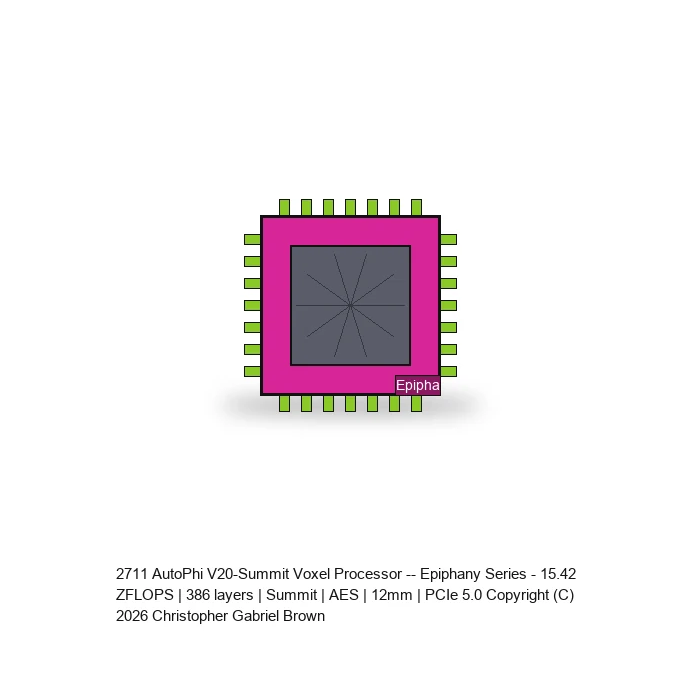
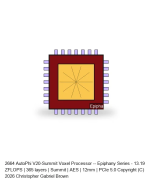
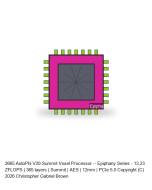
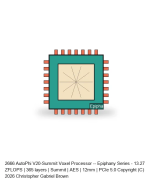
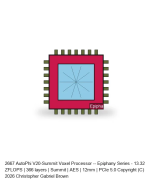
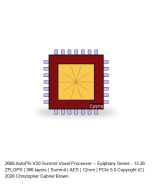
AutoPhi V20-Summit Voxel Processor -- Epiphany Series #681

$38.9M
In stock
SKU
APV20-EPH-0681-1.5NM

💳 Available Payment Options

Companies can pay via the structures below. Exact amounts and terms are set per item at agreement. Use the calculator to see approximate payments for a given total and term.

Leave blank to use the product price.
Full amount due upon agreement or by agreed date. Best for simpler deals.
Amount Due:

Sign the license agreement and complete payment via wire transfer.

Equal payments monthly (or quarterly for 24+ months).
Payment Amount:
Frequency:
Total Payments:

Sign the license agreement and complete payment via wire transfer.

Upfront fee (20-30%) + % of net revenue, with minimum annual royalty. Paid quarterly.
Upfront Fee:
Remaining (via royalty):

+ % of net revenue quarterly, with minimum annual royalty. Terms set at agreement.

Sign the license agreement and complete payment via wire transfer.

% of gross or net revenue, no/minimal upfront. Good when revenue is more predictable than milestones.
Structure: % of gross or net revenue

No or minimal upfront cost. Percentage and terms set at agreement based on projected revenue.

Sign the license agreement and complete payment via wire transfer.

Payments at key events: signing, delivery, first sale, regulatory approval, etc.
Typical Milestones:
  • Signing
  • Delivery
  • First Sale
  • Regulatory Approval

Amounts allocated per milestone at agreement. Total equals the agreed price.

Sign the license agreement and complete payment via wire transfer.

Fixed fee per year, renewable. Suits ongoing use, updates, or support. Multi-year discounts possible.
Annual Fee:
Discount:
Total over term:

Sign the license agreement and complete payment via wire transfer.

Lump sum due Net 30, Net 60, or Net 90 after agreement or delivery. Single payment, later date.
Amount Due:
Due Date:

Sign the license agreement and complete payment via wire transfer.

15.42 ZFLOPS | 386 layers | Summit | AES | 12mm | PCIe 5.0
First to market

Publicly online since 2010 · U.S. patent applications since 2012 · inventions offered since 2014. The work of Christopher Gabriel Brown, independently documented.

First posted: · Last updated:
Downloads
Instant download

Downloads immediately on checkout — the CD GDSII Generator (AES-256 encrypted). Open with 7-Zip, WinRAR, or macOS Archive Utility using password CRIONE99KEY. Founder Access Pass credit (code FAP99CREDIT) applies at checkout.

Zetta-class V20 Epiphany Voxel Processor

15.42 ZFLOPS earned peak performance. 386 layers in 12mm. AES substrate. Zero companion ICs. PCIe 5.0 x16.

SKUAPV20-EPH-0681-1.5NM
Peak FLOPS15.42 ZFLOPS (earned)
Process1.5 nm on AES
Clock13.45 GHz
Voxels3808x3808 (14,500,864)
Layers386 in 12mm (31.1 um)
Qubits5,484,497 physical
Memory BW59.04 PB/s
Power14.3 kW
Neurons1.23B
PCIe5.0 x16 Full-Height Full-Length

DNA: 512-bit electron | 64 quantum gates | 18 photon opcodes

Technologies: 9/9 active (LED Recycling, Vertical Threading, Chiplet Stacking, Nanophotonic, QEC, EM Cooling, Quantum Battery, Hybrid, Neuromorphic)

Competitive: 15,575,941x H100 FLOPS | 15,139x H100 BW | +quantum +photonic +neuromorphic

Includes: GDSII Generator Standalone CD — complete fabrication package.

Acquisition Path

This product is available through CGB's 4-step acquisition path. The current price is shown in your cart and on the live storefront page.

  • Step 1 — Proof of Function: public, $1.69 each.
  • Step 2 — Mathematical Deposition: reading material under mutual NDA.
  • Step 3 — Evaluation License: hands-on evaluation under NDA; fee credits toward Step 4.
  • Step 4 — Full Acquisition:

See the acquisition path overview →

Write Your Own Review
You're reviewing:AutoPhi V20-Summit Voxel Processor -- Epiphany Series #681
Copyright © 2009-present Christopher Gabriel Brown. All rights reserved. "STRICT INTELLECTUAL PROPERTY NOTICE: All content, code, scripts, and styles in this file are the exclusive intellectual property of Christopher Gabriel Brown. DO NOT COPY, DISTRIBUTE, OR USE WITHOUT EXPRESS WRITTEN PERMISSION." Under no circumstance is there to be a transfer of Intellectual Property. Christopher Gabriel Brown presents a portfolio of advanced technologies across computing, energy, defense, and data systems. The site features products including the AutoPhi Quantum Processor (3.5 ExaFLOPS with quantum capabilities), Quantum Battery (unlimited energy storage with zero degradation), War Satellite (autonomous defense platform with global surveillance), Electric Jet (zero-emission supersonic propulsion), and specialized systems like nuclear waste recycling, blockchain security infrastructure, and smart wearable platforms. Each product includes complete documentation, manufacturing blueprints, patent protection, and implementation resources, positioning them as production-ready solutions for enterprise, government, and research applications. The collection spans quantum computing, renewable energy, aerospace, cybersecurity, and IoT, emphasizing innovation, patent protection, and technical depth. **Preferred Contact Methods** Christopher Gabriel Brown accepts communication by **email and postal mail only**. No phone calls please. **Email:** crioneaka@outlook.com **Mail:** 1341 Wellington Cove, Lawrenceville, GA 30043-5255, USA | USA-ONLY SALES | United States Dollars only | Email-only contact | No non-US orders accepted